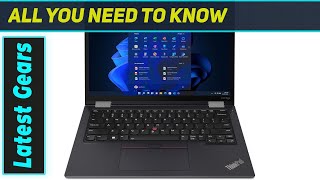
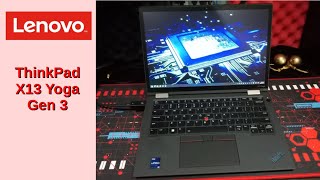
- Host Lenovo ThinkPad X13 Yoga Gen 3
- USB hubs / docks Lenovo Thunderbolt 5
Lenovo ThinkPad X13 Yoga Gen 3
Model numbers and firmware
-
Reference videos
Videos that give hints about compatibility or usage. They are not counted as Rig Log results. Pressing play connects to YouTube.
Specifications
No specifications registered yet.
The content is for reference only. We do not guarantee its accuracy or that anything will work, and this site accepts no liability for any loss arising from its use. Please make your own judgment before buying or working on your hardware.
Reported together with
Official maker information
Links to information published by the maker. We do not import its content. Being on a list is not a guarantee that it works. Please check the latest information at the linked page.
- Support レノボ ノートパソコン・デスクトップ(製品ページ) (ja) Checked: 2026-10-20
Connection map
Click a dot to highlight only its connections. Use "Center here" to spread out from it. Line width shows the number of reports; color shows the result.
No linked reports yet.
Works
Works with a tweak / partial / unstable
Does not work
Results are split
Dashed lines: combinations known only from external information (maker lists, blogs, etc.)
No line does not mean "incompatible". It means "no report yet".
Rig Logs including this product
- Host Lenovo ThinkPad X13 Yoga Gen 3
- USB hubs / docks Lenovo USB4
- Host Lenovo ThinkPad X13 Yoga Gen 3
- USB hubs / docks Lenovo Thunderbolt 4 Gen 2
- Host Lenovo ThinkPad X13 Yoga Gen 3
- USB hubs / docks Lenovo Thunderbolt 4 Workstation Dock
- Host Lenovo ThinkPad X13 Yoga Gen 3
- USB hubs / docks Lenovo Universal Thunderbolt 4
- Host Lenovo ThinkPad X13 Yoga Gen 3
- USB hubs / docks Lenovo USB-C
Show 13 more
- Host Lenovo ThinkPad X13 Yoga Gen 3
- USB hubs / docks Lenovo Thunderbolt 3 Gen 2
- Host Lenovo ThinkPad X13 Yoga Gen 3
- USB hubs / docks Dell SD25TB4
- Host Lenovo ThinkPad X13 Yoga Gen 3
- USB hubs / docks Dell SD25
- Host Lenovo ThinkPad X13 Yoga Gen 3
- USB hubs / docks Dell WD25
- Host Lenovo ThinkPad X13 Yoga Gen 3
- USB hubs / docks Dell WD25Z
- Host Lenovo ThinkPad X13 Yoga Gen 3
- USB hubs / docks Dell WD25TB5
- Host Lenovo ThinkPad X13 Yoga Gen 3
- USB hubs / docks Dell WD25TB4
- Host Lenovo ThinkPad X13 Yoga Gen 3
- USB hubs / docks Dell WD19DCS
- Host Lenovo ThinkPad X13 Yoga Gen 3
- USB hubs / docks Dell WD22TB4
- Host Lenovo ThinkPad X13 Yoga Gen 3
- USB hubs / docks Dell WD19TBS
- Host Lenovo ThinkPad X13 Yoga Gen 3
- USB hubs / docks Dell WD19S
- Host Lenovo ThinkPad X13 Yoga Gen 3
- USB hubs / docks HP Thunderbolt Gen 2 230W
- Host Lenovo ThinkPad X13 Yoga Gen 3
- USB hubs / docks HP Thunderbolt Gen 2 120W
How did it go in your setup? Reports that it worked are just as valuable as reports that it failed.

Overview Summarized by AI
Features
This product is recorded on Rig Log as a Lenovo ThinkPad X13 Yoga Gen 3 PC, configured with USB hubs and docks as the host machine.#2200#2160#2123#2095#2061#2018
Compatibility trends
The 19 Rig Logs recorded in CompatRigs all report successful operation when this device is used as a host combined with USB hubs or docks.#2200#2160#2123#2095#2061#2018 The compiled results include only reports of successful operation; reports indicating partial functionality, failures, or the need for configuration changes are not included in this compilation.#2200#2160#2123#2095#2061#2018
Among the notable reports, the University of Michigan's IT department lists full compatibility with Thunderbolt 5 docks, USB4 docks, and Thunderbolt 4 Gen 2 docks.#2200#2160#2123 This information is a summary of a compatibility list published by an organization's IT department as supported devices; the verification methods and timing are not disclosed.#2200#2160#2123
Tips for adopting it (AI's view)
This is suitable for users who want to connect multiple displays, a mouse, a keyboard, and either wired or wireless networks via the dock. Before purchasing, it is recommended to verify that the dock being used can provide sufficient power and operates without issues with two monitors, a mouse, a keyboard, and a network.
The docks listed in Rig Log are Thunderbolt 5, USB4, and Thunderbolt 4 Gen 2 models; therefore, always verify that the model name matches. When setting up, check the display and peripheral device operation after connecting the dock; if issues occur, comparing your configuration with Rig Log reports can help isolate problems.
Summarized on: 2026-10-19