Most of the working reports are for combinations with business-oriented laptops, with ThinkPad X1 Carbon Gen 13, ThinkPad X1 Carbon Gen 12, and ThinkPad X13 Yoga Gen 3 being examples.#2162#2161#2160 Reports where only some functions work are primarily from models such as the ThinkPad P1 across various generations, Dell Precision, and Dell Pro Max. These reports indicate that the docks cannot be relied upon due to power supply issues.#2176#2175#2174#2173#2172
Most detailed reports are based on summaries of supported device lists published by organizational IT departments, and the verification methods are not disclosed.#2176#2162 This report contains no combinations recorded as having completely failed.#2162
Tips for adopting it (AI's view)
Before purchasing, it is reassuring to check whether the laptop PC you wish to use is recorded as "Full" or "Partial" in Rig Logs. The dock must be able to supply the necessary power to your laptop, so we recommend selecting one by comparing its power requirements with the compatibility list provided for your model.
After configuration, please verify the operation by actually combining multiple monitors, mouse, keyboard, and network connections. If using a model where only partial operation and recording were verified, consider the possibility of instability due to power issues and evaluate alternative options for critical tasks.
For those primarily using business-oriented laptops and looking to consolidate peripherals, pairing with models that have numerous operation reports is considered a practical choice.
Summarized on: 2026-10-19
Reference videos
Videos that give hints about compatibility or usage. They are not counted as Rig Log results. Pressing play connects to YouTube.
ThinkPad Thunderbolt 4 Workstation Dock Unboxing and OverviewGame Tech ReviewsOpen on YouTube
ThinkPad Thunderbolt 5 Docking Station Unboxing and OverviewGame Tech ReviewsOpen on YouTube
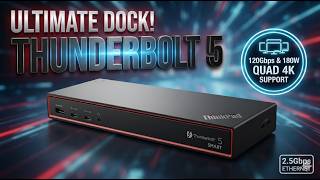
Lenovo Thunderbolt 5 Dock 7500: 120Gbps Worth It?Gadget TheoryOpen on YouTube
The content is for reference only. We do not guarantee its accuracy or that anything will work, and this site accepts no liability for any loss arising from its use. Please make your own judgment before buying or working on your hardware.
Click a dot to highlight only its connections. Use "Center here" to spread out from it. Line width shows the number of reports; color shows the result.
No linked reports yet.
WorksWorks with a tweak / partial / unstableDoes not workResults are splitDashed lines: combinations known only from external information (maker lists, blogs, etc.)
No line does not mean "incompatible". It means "no report yet".

Overview Summarized by AI
Compatibility trends
Most of the working reports are for combinations with business-oriented laptops, with ThinkPad X1 Carbon Gen 13, ThinkPad X1 Carbon Gen 12, and ThinkPad X13 Yoga Gen 3 being examples.#2162#2161#2160 Reports where only some functions work are primarily from models such as the ThinkPad P1 across various generations, Dell Precision, and Dell Pro Max. These reports indicate that the docks cannot be relied upon due to power supply issues.#2176#2175#2174#2173#2172
Most detailed reports are based on summaries of supported device lists published by organizational IT departments, and the verification methods are not disclosed.#2176#2162 This report contains no combinations recorded as having completely failed.#2162
Tips for adopting it (AI's view)
Before purchasing, it is reassuring to check whether the laptop PC you wish to use is recorded as "Full" or "Partial" in Rig Logs. The dock must be able to supply the necessary power to your laptop, so we recommend selecting one by comparing its power requirements with the compatibility list provided for your model.
After configuration, please verify the operation by actually combining multiple monitors, mouse, keyboard, and network connections. If using a model where only partial operation and recording were verified, consider the possibility of instability due to power issues and evaluate alternative options for critical tasks.
For those primarily using business-oriented laptops and looking to consolidate peripherals, pairing with models that have numerous operation reports is considered a practical choice.
Summarized on: 2026-10-19