"Dell WD22TB4" is registered as a product in the USB hub (docking station) category, and there are records of its use in combination with laptops.#1657#1656#1655 The university's IT department has published a compatibility list, stating that this dock is fully compatible for use with power supply, two monitors, mouse, keyboard, and network connection.#1657#1656#1655
The same list also includes a note stating that the dock's power button does not function.#1657#1656#1655
Compatibility trends
Records of partial functionality are concentrated on four models: Lenovo ThinkPad T14 Gen 6, P1 Gen 7, P1 Gen 6, and P1 Gen 5. In all cases, the university's list states that reliable use is not possible due to power supply issues, and neither recommendation nor support is provided.#1666#1665#1664#1663 Records of partial functionality for Dell devices are noted on the Dell Pro 5 16, Dell Pro Max 16 Plus, Dell Precision 7680, 7670, and 5680 models; in the university list, power supply issues are also cited as the reason.#1662#1661#1660#1659#1658
The recordings cover a wide range of combinations, including Lenovo ThinkPad X1 and T14, Dell Latitude, Dell Precision, HP EliteBook, etc.#1656#1651#1637#1626#1650 The 12 items listed as notable logs are all summaries based on a compatibility list published by university IT departments; the verification methods and timing have not been disclosed.#1666#1665#1657#1656#1655
Tips for adopting it (AI's view)
Some of the main notes on functionality relate to power supply, so we recommend checking whether your intended laptop is listed in the compatibility list and whether its power specifications are compatible before purchasing. When using multiple monitors or many peripheral devices, be sure to carefully check whether the dock can supply the required power.
A note indicates that the power button may not function; therefore, establishing a method for powering on beforehand ensures stable operation. When introducing the system, it is reassuring to verify that power supply and video output remain stable with all peripherals connected before putting it into use.
The notable log does not include a solution; therefore, if an issue occurs, please check reports for the same device model before making a judgment.
Summarized on: 2026-10-19
Reference videos
Videos that give hints about compatibility or usage. They are not counted as Rig Log results. Pressing play connects to YouTube.
Full Review of the Dell SD25 Docking station: Worth it?JessTechSpiceOpen on YouTube
Full Review of the Dell Thunderbolt™ Dock – WD22TB4 with M1 Pro MacBook ProJessTechSpiceOpen on YouTube
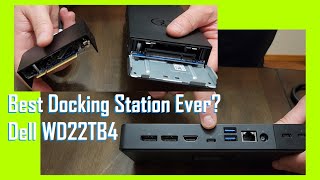
Best Docking Station Ever? Dell WD22TB4 Unboxing Setup & ReviewURTechDotCaOpen on YouTube
The content is for reference only. We do not guarantee its accuracy or that anything will work, and this site accepts no liability for any loss arising from its use. Please make your own judgment before buying or working on your hardware.
Links to information published by the maker. We do not import its content. Being on a list is not a guarantee that it works. Please check the latest information at the linked page.
Click a dot to highlight only its connections. Use "Center here" to spread out from it. Line width shows the number of reports; color shows the result.
No linked reports yet.
WorksWorks with a tweak / partial / unstableDoes not workResults are splitDashed lines: combinations known only from external information (maker lists, blogs, etc.)
No line does not mean "incompatible". It means "no report yet".


Host HP EliteBook 850 G5

Overview Summarized by AI
Features
"Dell WD22TB4" is registered as a product in the USB hub (docking station) category, and there are records of its use in combination with laptops.#1657#1656#1655 The university's IT department has published a compatibility list, stating that this dock is fully compatible for use with power supply, two monitors, mouse, keyboard, and network connection.#1657#1656#1655
The same list also includes a note stating that the dock's power button does not function.#1657#1656#1655
Compatibility trends
Records of partial functionality are concentrated on four models: Lenovo ThinkPad T14 Gen 6, P1 Gen 7, P1 Gen 6, and P1 Gen 5. In all cases, the university's list states that reliable use is not possible due to power supply issues, and neither recommendation nor support is provided.#1666#1665#1664#1663 Records of partial functionality for Dell devices are noted on the Dell Pro 5 16, Dell Pro Max 16 Plus, Dell Precision 7680, 7670, and 5680 models; in the university list, power supply issues are also cited as the reason.#1662#1661#1660#1659#1658
The recordings cover a wide range of combinations, including Lenovo ThinkPad X1 and T14, Dell Latitude, Dell Precision, HP EliteBook, etc.#1656#1651#1637#1626#1650 The 12 items listed as notable logs are all summaries based on a compatibility list published by university IT departments; the verification methods and timing have not been disclosed.#1666#1665#1657#1656#1655
Tips for adopting it (AI's view)
Some of the main notes on functionality relate to power supply, so we recommend checking whether your intended laptop is listed in the compatibility list and whether its power specifications are compatible before purchasing. When using multiple monitors or many peripheral devices, be sure to carefully check whether the dock can supply the required power.
A note indicates that the power button may not function; therefore, establishing a method for powering on beforehand ensures stable operation. When introducing the system, it is reassuring to verify that power supply and video output remain stable with all peripherals connected before putting it into use.
The notable log does not include a solution; therefore, if an issue occurs, please check reports for the same device model before making a judgment.
Summarized on: 2026-10-19